Keep the conversation with the customer’s details. Read what’s already been discussed before replying or handing the request to someone else.
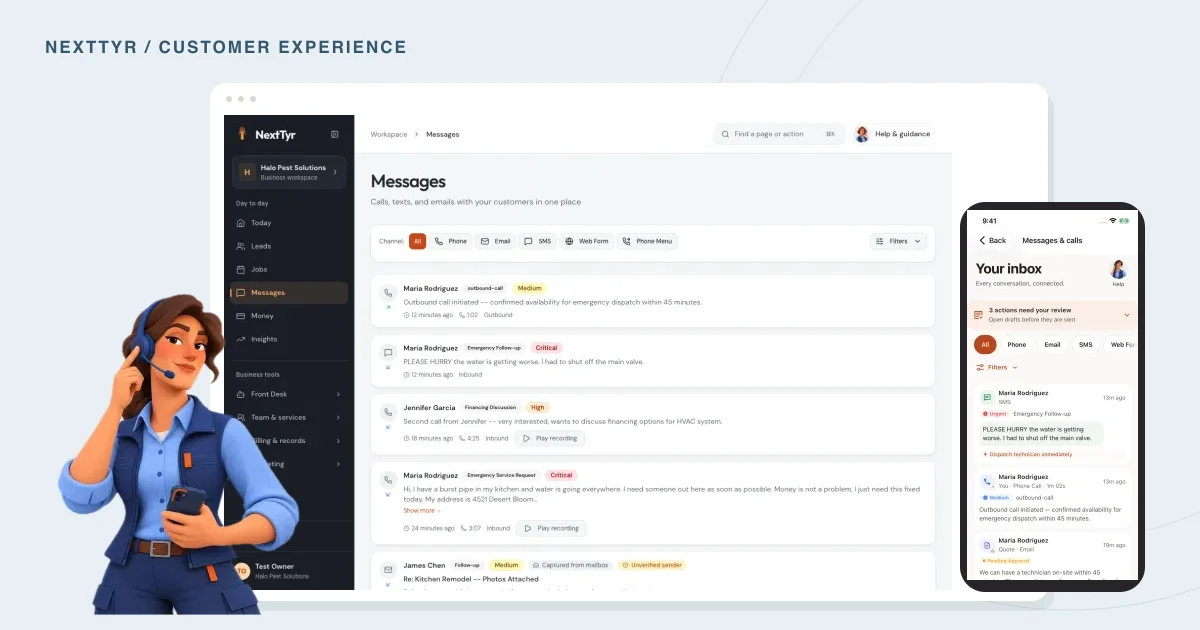
A customer calls about a job, texts a photo that afternoon, then emails a question about the quote. By the time you reply, there are three places to look. NextTyr brings calls, texts, and emails into one inbox so you can find the conversation before getting back to them.
Start with the last thing they said.
Read the most recent message, then look back far enough to understand the request. Check whether someone has already answered the question or promised to call. It’s easy to send a reasonable reply that repeats what a teammate said an hour ago.
For example, if the customer has already sent a photo, ask about the detail you still need. “Could you send the width of that doorway?” is a more useful response than asking them to describe the job again.
Check the draft before sending it.
Your front desk can prepare replies for review. Before approving one, compare it with the customer’s message. Check names, dates, prices, and anything that sounds like a commitment.
If you haven’t confirmed an appointment time, the reply shouldn’t imply that it’s booked. You can say, “I’ll check whether Tuesday morning is available and get back to you.” That gives the customer an answer you can stand behind.
Catch up from your phone.
The NextTyr mobile app has a conversations view for customer messages and pending replies. Use the Web and Mobile app buttons below to compare the actual screens.
This can be handy before a callback between appointments. Read the recent exchange while you have a quiet moment. If the request needs a longer response or input from someone else, leave yourself enough time to handle it properly.
Leave a note the next person can use.
When you hand a request to a teammate, include what the customer wants and what remains unanswered. Be specific about the next action.
For example: “Customer sent a photo of the entryway. Wants an estimate for next month. We still need the doorway dimensions before confirming the scope.” The next person can act on that without asking you to retell the conversation.
You can use the same approach even if you work alone. A short note written today will be helpful when you return to the request next week.
TAKE A LOOK AROUND
See it in NextTyr.

Actual product · sample business · Every conversation, togetherTap the image for a closer look.
Before you send the reply
Check off each step as you go.

Want to see how this works in NextTyr?
Meet your front desk